

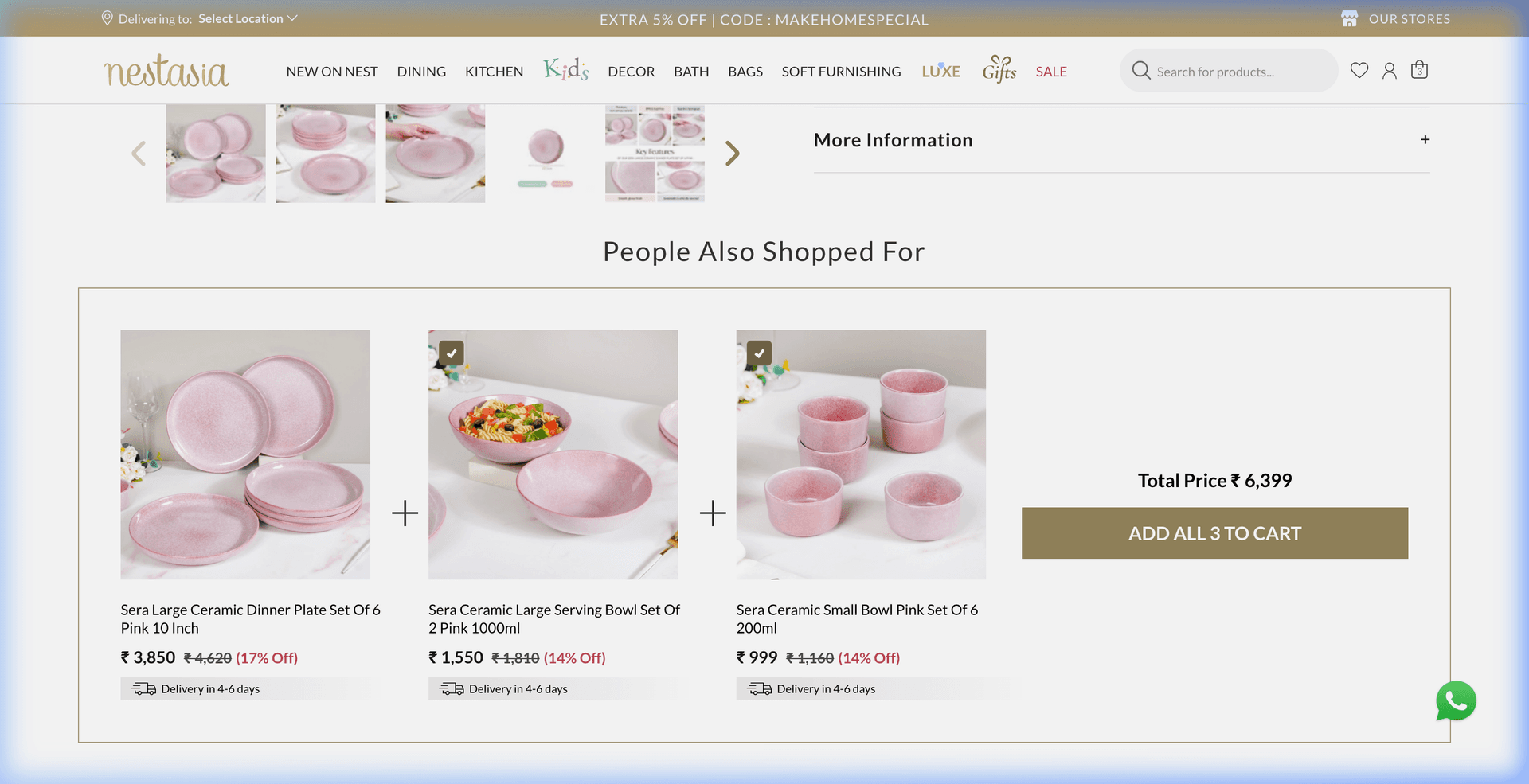
A shopper lands on your Shopify store, finds a dinner plate set they love, and completes checkout. But did they actually buy everything they needed to set the table?
A week later, they host dinner and realize they don't have matching serving bowls, dessert dishes, or table linens. The customer has an incomplete experience, and the merchant missed an effortless opportunity to increase average order value (AOV) on an existing purchase.
This is where complementary product recommendations make an immediate impact. Instead of showing random bestsellers or pushy discount popups, complementary recommendations identify items that naturally complete what the customer is already buying. This guide breaks down what complementary recommendations are, how they differ from upsells and related items, and how AI engines automate them across your Shopify store.
What Are Complementary Product Recommendations?
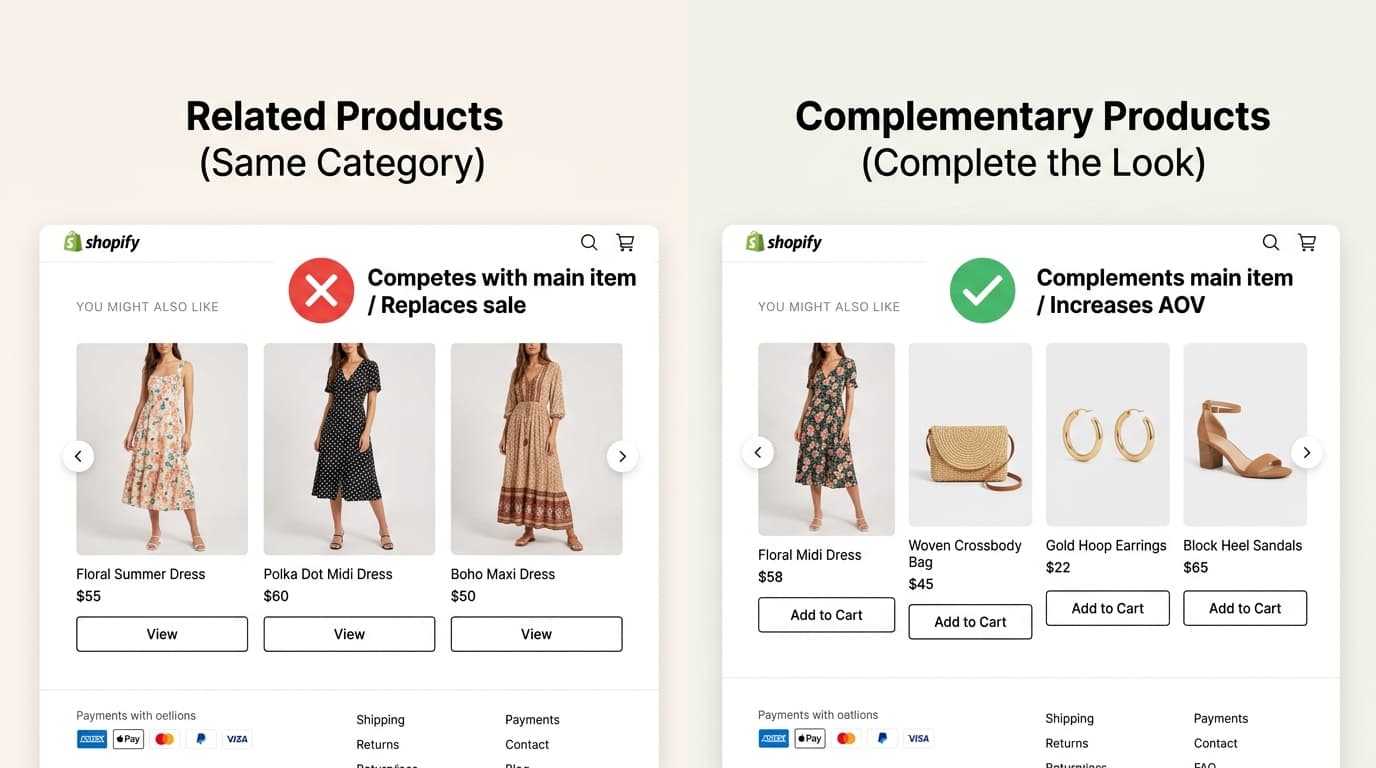
A complementary product recommendation suggests items that logically complete or enhance the item a shopper is currently viewing or buying — rather than suggesting an alternative version of the same product.
Complementary recommendations can be significantly more effective than standard recommendation widgets because they don't force shoppers to choose between two similar items. They aren't competing with the product in the cart — they are completing the customer's intended setup.
Complementary vs. Related vs. Upsell vs. Cross-Sell
Merchants frequently use these terms interchangeably, but each serves a distinct merchandising objective in the ecommerce funnel:
| Strategy Type | Definition | Example Scenario |
|---|---|---|
| Related Products | Alternative options in the exact same category | Viewing a ceramic dinner plate → shown 3 other dinner plates in different patterns or colors. |
| Complementary Products | Different products that function together in the same use-case | Viewing a dinner plate → shown matching serving bowls, cutlery, and table runners. |
| Upsell | A higher-tier, premium, or larger volume of the same item | Viewing a 4-piece plate set → offered an upgrade to a 12-piece family dinner set. |
| Cross-Sell | Broader category of additional accessories or add-ons | Buying dress shoes → offered a pack of dress socks or shoe polish. |
While related products are great for top-of-funnel browsing, complementary products excel at checkout conversion because they build complete bundles without introducing friction or second-guessing.
Real-World Examples of Complementary Recommendations
Across different verticals, effective complementary recommendations always answer one core question: 'What else does the customer need to actually use, style, or enjoy what they are buying?'
- Home & Dining: A shopper viewing a ceramic dinner plate set sees recommended matching serving bowls, small dip dishes, and a linen table runner in a Complete the Table widget on the product page.
- Consumer Electronics: A shopper buying a smartphone sees a compatible protective case, tempered glass screen protector, and wireless fast charger.
- Beauty & Skincare: A shopper purchasing a Vitamin C facial serum sees a recommended daily SPF 50 sunscreen and a gentle hydrating moisturizer used in the same morning routine.
- Fashion & Apparel: A shopper viewing a summer maxi dress sees recommended matching woven tote bags, gold hoop earrings, and ankle-strap sandals.
Why Manual Product Pairing Doesn't Scale
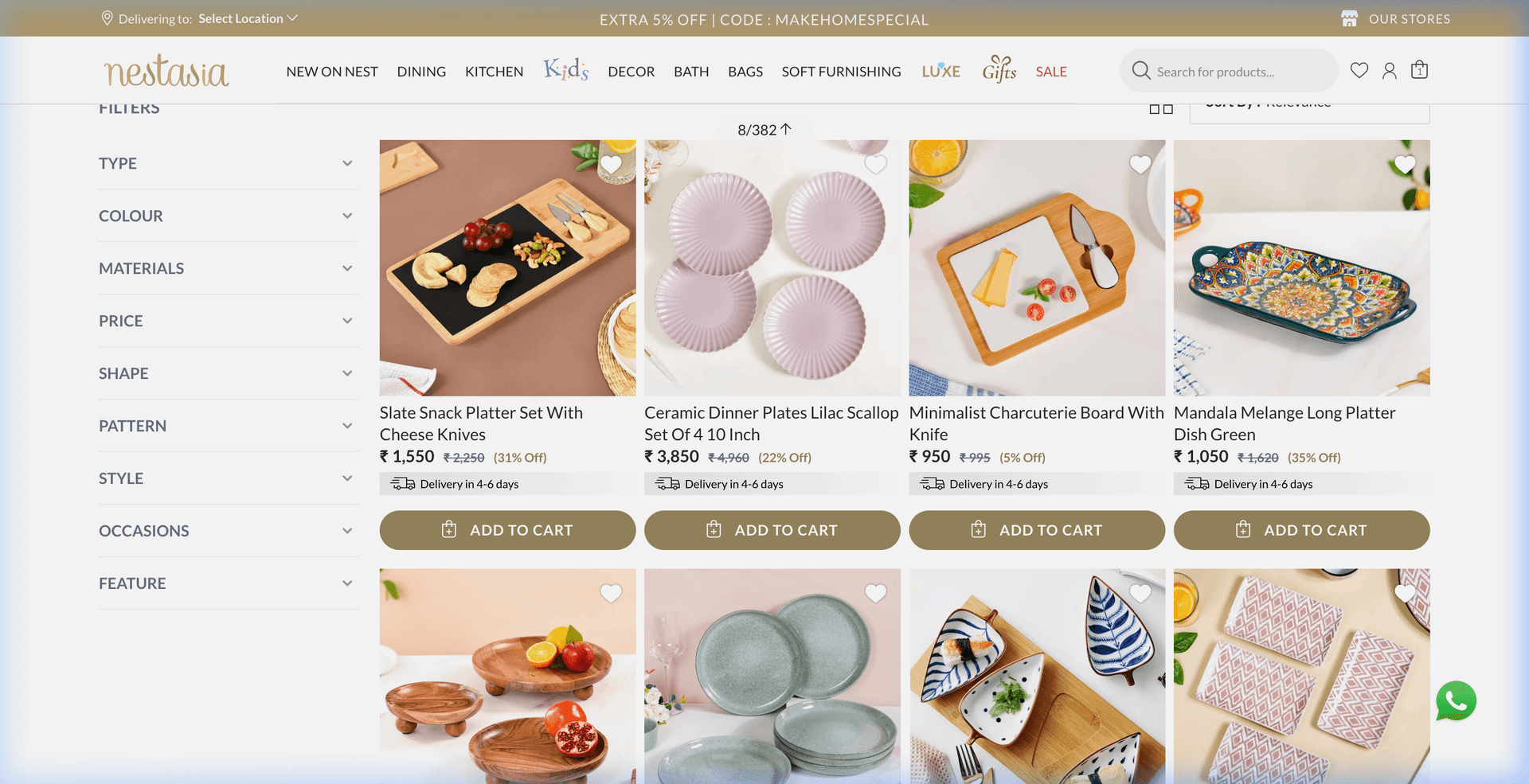
Many Shopify store owners try to set up product pairings manually using static 'frequently bought together' apps or hardcoded collection tags. While this works for stores with fewer than 20 products, it quickly collapses at scale:
- Constant Catalog Churn: A manual rule mapping a dinner plate to a specific serving bowl becomes obsolete the moment that bowl goes out of stock or gets discontinued.
- Cross-Category Complexity: In stores with hundreds or thousands of SKUs, plates live in 'Dinnerware', runners live in 'Table Linens', and cutlery lives in 'Flatware'. Manually building spreadsheets for every cross-category combination requires unmanageable upkeep.
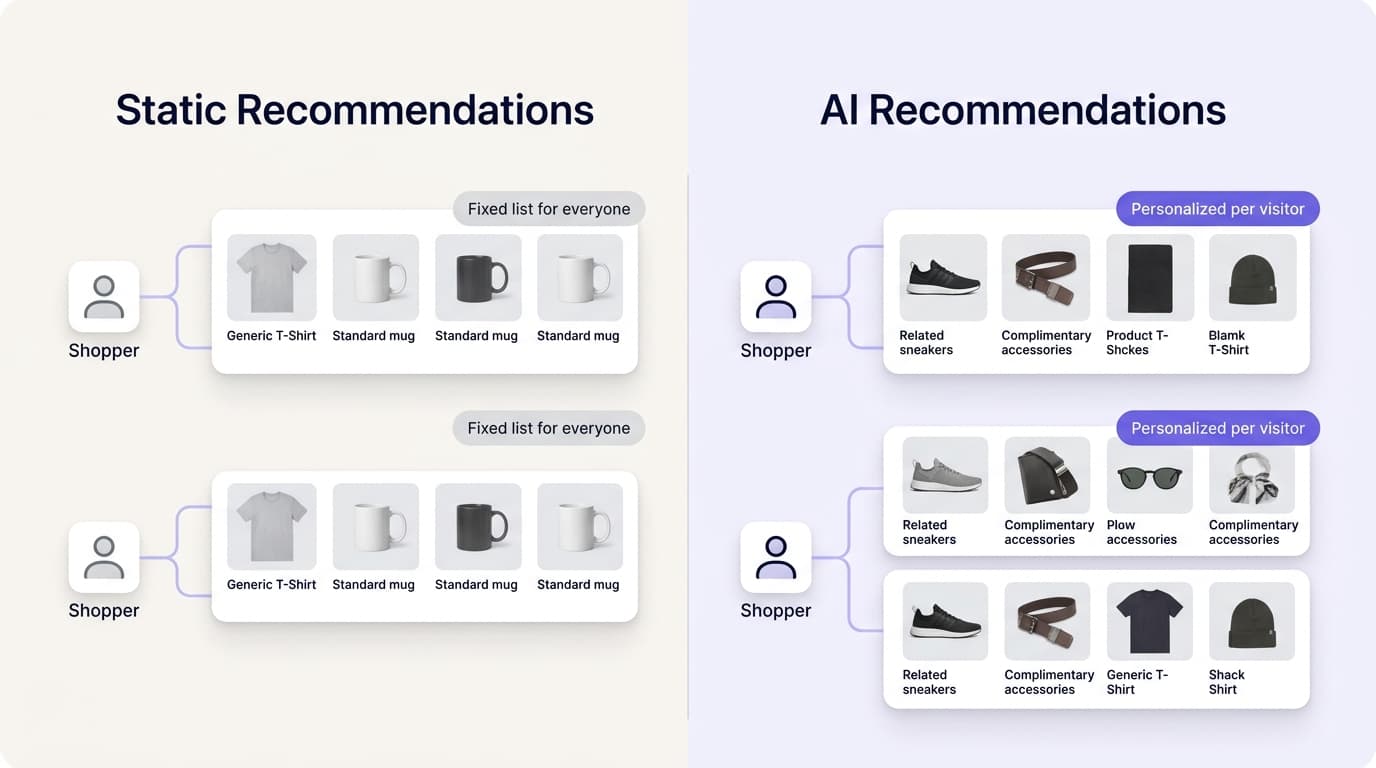
- Static Rules Lack Context: Hardcoded rules show identical pairings to every visitor, ignoring buyer intent, cart contents, and price sensitivity.
How AI Finds Better Product Relationships
Modern AI recommendation engines combine structured catalog attributes with real-time shopper behavior to dynamically surface complementary items across your store.
Instead of relying on rigid rules, the AI continuously analyzes multiple data signals:
- Behavioral Co-Occurrences: Tracking items frequently viewed sequentially, added to cart in the same session, and co-purchased at checkout.
- Catalog & Attribute Affinity: Matching product collections, design aesthetics, materials, color palettes, and compatible specifications.
- Real-Time Cart Context: Inspecting what is currently in the customer's cart to avoid recommending duplicate categories or items they have already added.
- Inventory & Stock Awareness: Automatically filtering out out-of-stock items and shifting recommendations to in-stock complements without merchant intervention.
Where Should You Show Complementary Products?
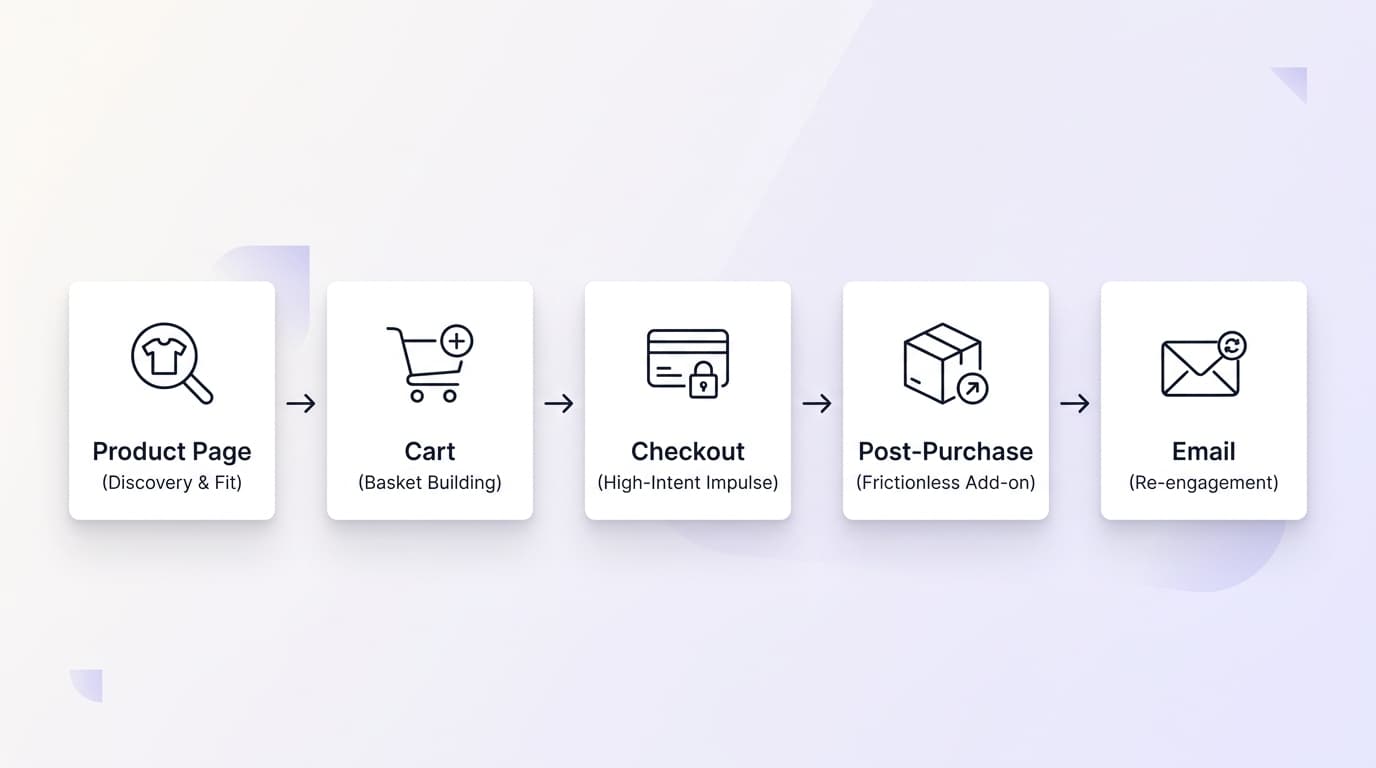
Complementary recommendations follow the shopper through several key moments in their purchase journey. Each touchpoint requires an offer tailored to that stage of intent:
| Placement | Best Offer Type | Merchandising Strategy |
|---|---|---|
| Product Page | Rich 2-4 item visual bundle ('Complete the Look / Set') | Shopper is in exploration mode — displaying a full coordinated set helps them visualize the complete purchase. |
| Cart Drawer | Single 1-click add-on (e.g. coaster set, dip bowls) | Shopper is committed to buying — an effortless 1-click bump paired with a Free Shipping progress bar. |
| Shopify Checkout | Low-cost, high-relevance impulse accessory | Keep recommendations frictionless and focused where your Shopify checkout setup supports embedded add-ons. |
| Post-Purchase Page | High-affinity complement with exclusive discount | 1-Click post-purchase upsell accepted without re-entering payment details after the primary order is secured. |
Rule of thumb: The earlier in the journey (PDP), the more visual room you have for multi-item sets; the closer to checkout, the simpler and more affordable the add-on should be.
How to Make Recommendations Feel Helpful, Not Pushy
Showing more recommendations is not the goal — showing the single most relevant complement is. Four core merchandising rules keep recommendations feeling like attentive customer service:
- Show fewer, better matches: One perfectly matched accessory outperforms five loosely related suggestions.
- Match the placement to the moment: Keep rich multi-item bundles on product pages, and reserve quick single-click add-ons for the cart drawer.
- Never compete with the main purchase: Recommendations should support the item already chosen, never distract from it or invite second-guessing.
- Show nothing rather than something irrelevant: If no genuine complement is in stock, leaving a widget silent is far better than filling space with unrelated noise.
Example: How Complementary Recommendations Work in Practice
Illustrative merchandising concept based on a home decor and dining catalog.
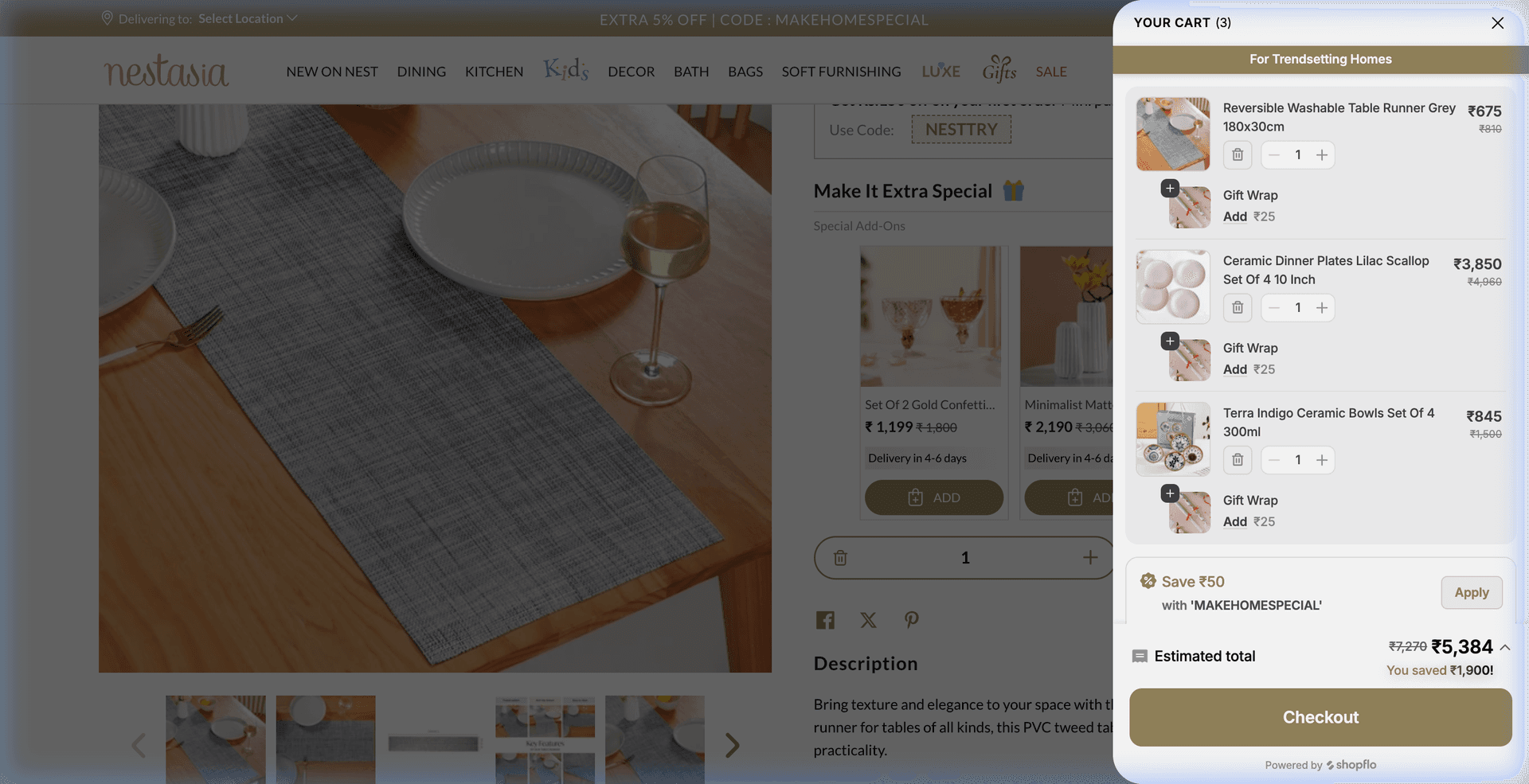
Using a home & dining catalog as an illustration, consider a shopper viewing a 6-piece ceramic dinner plate set. In most cases, the customer isn't just buying plates — they are setting up a dining room for family meals or hosting guests.
Instead of showing competing dinner plates, an intelligent complementary recommendation widget surfaces items that complete the table:
- Large Ceramic Serving Bowl — same aesthetic and collection, distinct function for serving family dishes.
- Small Bowls Set of 6 — matching side bowls for soups, dips, or desserts.
- Linen Table Runner — creates visual warmth and finishes the table setup.
Because none of these items compete with the dinner plate for the sale, each addition compounds cart value. A shopper who arrived with intent for a single plate set can easily check out with a complete, coordinated table collection in one click.
Quick Audit: Is Your Store Leaving Revenue on the Table?
Take 15 minutes to run this quick diagnostic on your Shopify store:
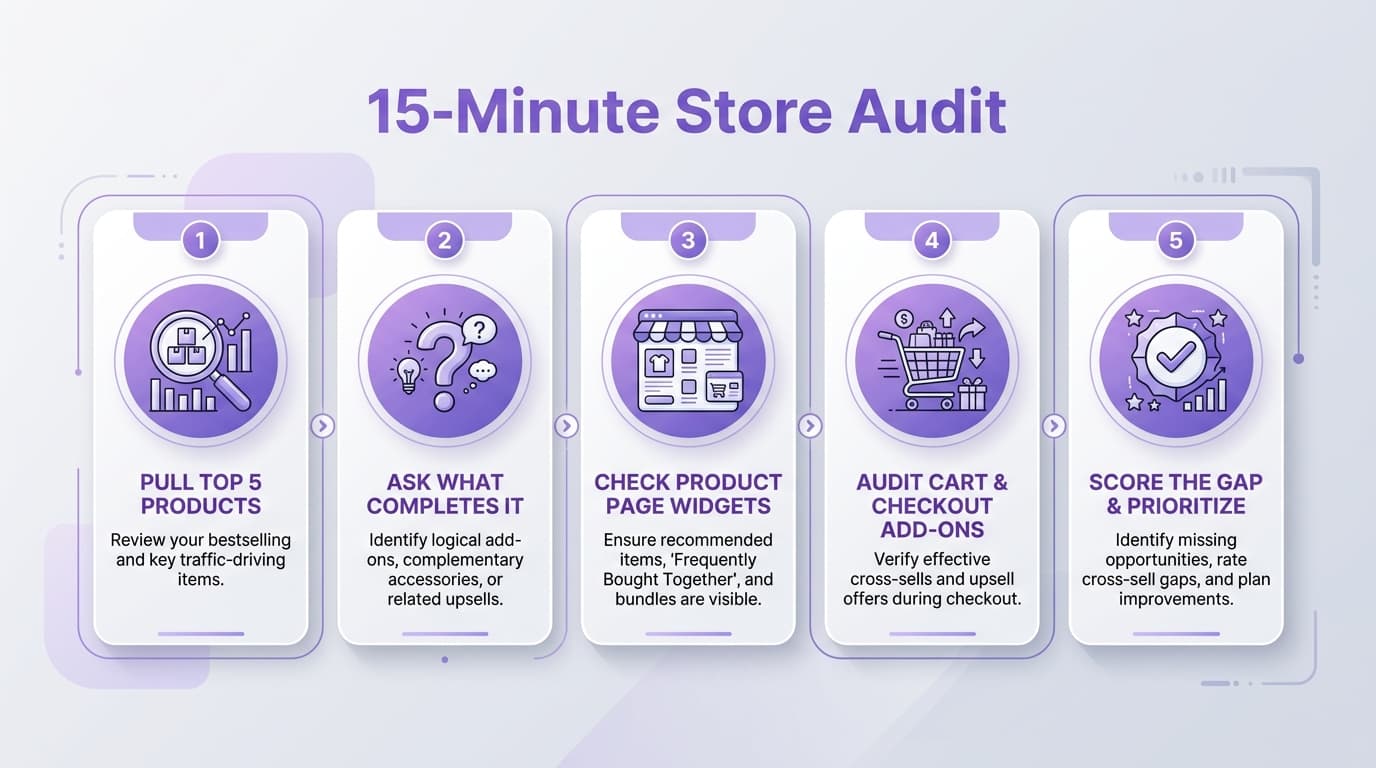
- Pull your top 5 products by revenue from the last 90 days (Shopify Analytics → Sales by Product).
- For each product, ask: 'What does a customer need to actually use, style, or maintain this?' — focus on what completes it, not what is similar.
- Inspect your live product pages. Does your store currently show competing duplicate items or true functional complements?
- Check your cart drawer and checkout. Is there a simple, low-friction add-on option before final payment? (This is often the highest-converting placement).
- Score the gap. If 3 or more of your top 5 revenue products lack a complementary pairing across the journey, you have an immediate opportunity to lift store AOV.
How WeUpsell Handles Complementary Recommendations
WeUpsell's AI Product Recommendations engine is designed specifically to detect and surface high-converting complementary pairings across your entire Shopify store.
By blending catalog metadata with real-time session behavior, WeUpsell automatically generates context-aware recommendations across your Product Pages, slide-out Cart Drawer, Checkout, and 1-click Post-Purchase Upsells — with zero manual rule maintenance required.
Explore AI Product Recommendations →
Getting Started with WeUpsell
Install WeUpsell on your Shopify store and activate your first AI-powered complementary recommendation widget in under 10 minutes.
What is the difference between related and complementary product recommendations?
Related products are similar alternatives in the same category (e.g., showing another dinner plate). Complementary products are different items that function together with what is already being purchased (e.g., pairing a dinner plate with serving bowls, cutlery, and table runners).
Do complementary recommendations work better than static "frequently bought together" apps?
Yes. Static apps rely on hardcoded rules that quickly drift out of date as inventory and catalog items change. An AI-powered engine continuously learns from customer behavior, stock levels, and session context to keep pairings accurate automatically.
Where should I place complementary product recommendations first?
Start by adding a 'Complete the Set' widget on your top 5 revenue-driving Product Pages, then activate a single low-friction complement in your Cart Drawer and at Checkout.
Can complementary recommendations feel pushy to customers?
Only when recommendations are irrelevant or when too many options are shown at once. Curating one or two well-matched, functional suggestions feels like attentive customer service rather than sales pressure.